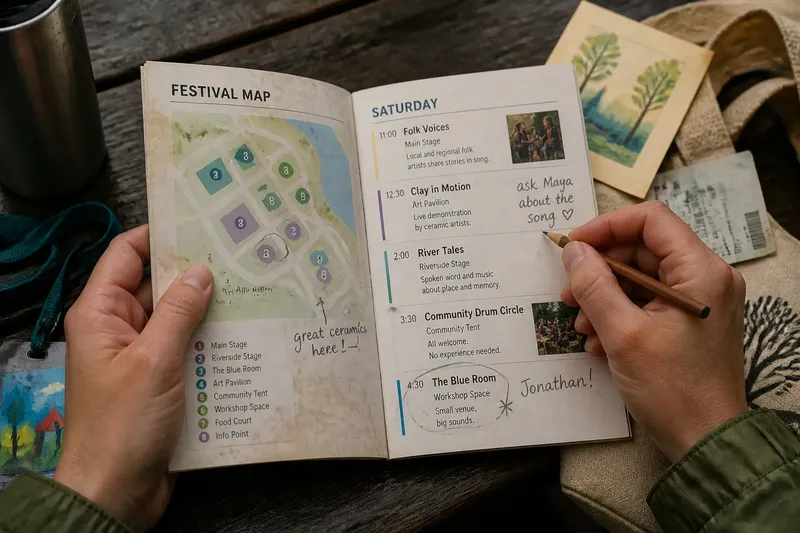
Printed Festival Program or Phone Screen: Which Suits Your Visit?
Compare a printed festival program with phone listings by readability, search, and access to updates, then choose the format that makes event details easy to use.
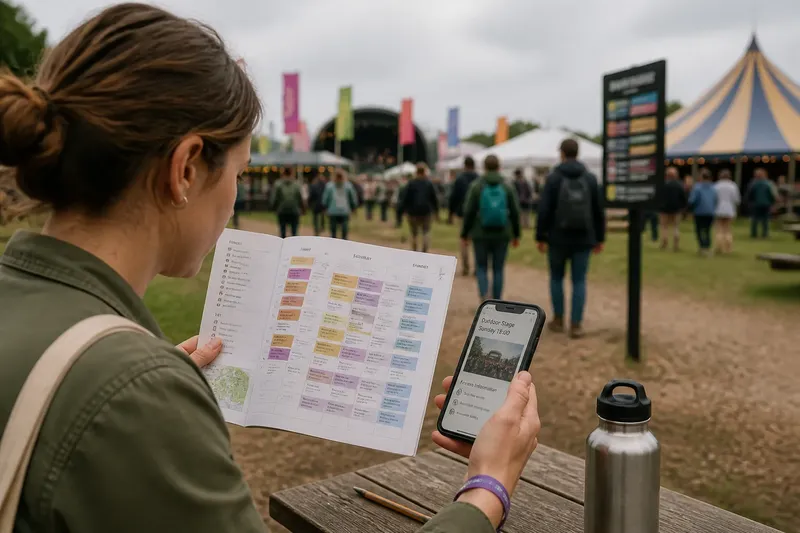
A printed festival program is useful when you need to compare a whole schedule at a glance; phone listings are useful when you need to retrieve a particular detail. The choice affects how easily you can read times, venues, access notes, and changes—not how much of the festival you should try to see.
Read the schedule
Printed festival programs put several listings in view at once. That makes it easier to compare events in adjoining time slots or notice a venue name while scanning a page. A clear grid can turn a dense schedule into something legible without repeated scrolling.
Check the booklet before relying on it. Small type, abbreviations, and a venue key printed elsewhere can make details harder to interpret. If the schedule is cramped, use its index or map deliberately rather than assuming the event title tells you where to go.
A phone listing narrows the view, but search can make a specific entry easier to locate. Look for a performer, title, venue, or category, then open the listing to check its details. This is less convenient when the site sends you through several pages or makes you repeat a search to compare events.
Find event details
Paper works well when the information is stable and close to the schedule. A printed venue key, short description, and access note can be consulted together, provided the program includes them. A pencil mark in the margin can point you back to a listing without creating another place to check.
Digital listings may connect an event title to a longer description, venue map, or access information. If those details matter to your visit, open the relevant page while you have a reliable connection and check whether it remains available later. A saved page is more useful than a link you meant to revisit.
For changes to a time, room, or access arrangement, consult the festival’s current announcement or ask staff. A printed schedule can remain a helpful map of the day, but it may not reflect a later update. The festival’s own process determines which listing is current.
Compare the tools
- Readability: Check whether printed times and venue names are easy to distinguish; if they are, use the booklet for scanning, but if they are not, use the digital schedule or a larger printed listing.
- Search: Check whether the phone listing can find a title, performer, or venue; if it can, search for specific events, but if it cannot, use the program’s index or contents page.
- Connections: Check whether event pages open where you expect to use them; if they do, use links for details, but if they do not, save the information in advance or consult the printed entry.
- Annotations: Check whether handwritten marks remain clear on a crowded page; if they do, mark the booklet, but if they overlap listings, keep a short note on your phone instead.
- Updates: Check whether the festival posts current notices in its app or website; if it does, consult that source for changes, but if it does not, ask event staff before acting on conflicting times.
- Access details: Check whether the format you can readily reopen includes the access information you need; if it does, keep that entry handy, but if it does not, contact the festival or ask staff for clarification.
Which format fits your needs?
Is a printed program easier to scan?
It can be, especially when the schedule uses readable type and puts related listings together. If you need to compare several events, a full page often shows their relationships more clearly than separate phone screens.
Is a phone listing better for search?
It can be faster when you know a title, performer, venue, or category. Check that the listing loads and that its search results include the details you need; otherwise, use the program’s index or ask staff.
Which format is better for updates?
That depends on where the festival publishes changes. Check its current notice or speak with staff rather than assuming either a printed listing or a saved phone entry is up to date.
What if neither format is easy to use?
Use the clearest source for the particular task: a printed map for orientation, a phone page for an event description, or staff guidance for an unclear access detail. Avoid copying the full schedule into a third tool, which creates another version to maintain.
A worked choice
Say you arrive at a film-and-music festival interested in two screenings and an outdoor performance. In this invented situation, you first check the printed grid and find that its times and venue names are readable, so you circle the three possibilities; then you open one screening’s phone listing and save its access note because the booklet has no such detail. The result is a marked schedule for comparing the options and one saved page for the information the paper copy lacks. If the phone page will not load, the alternative is to ask staff about that screening rather than rely on an empty link.
Choose by the task
Pick the format that makes your recurring task simplest. For broad scanning, a legible printed grid may be enough. For finding a specific entry or opening linked details, a searchable phone listing may be more useful.
If you use both, give each a defined job: for instance, scan and mark the printed program, then use the phone only for linked descriptions or current notices. Treat the printed festival program as a map of the schedule, not a contract with the day; a small, useful detail—such as a changed room—can matter more than keeping every listing in sync.